
Task management
Know where your time actually went
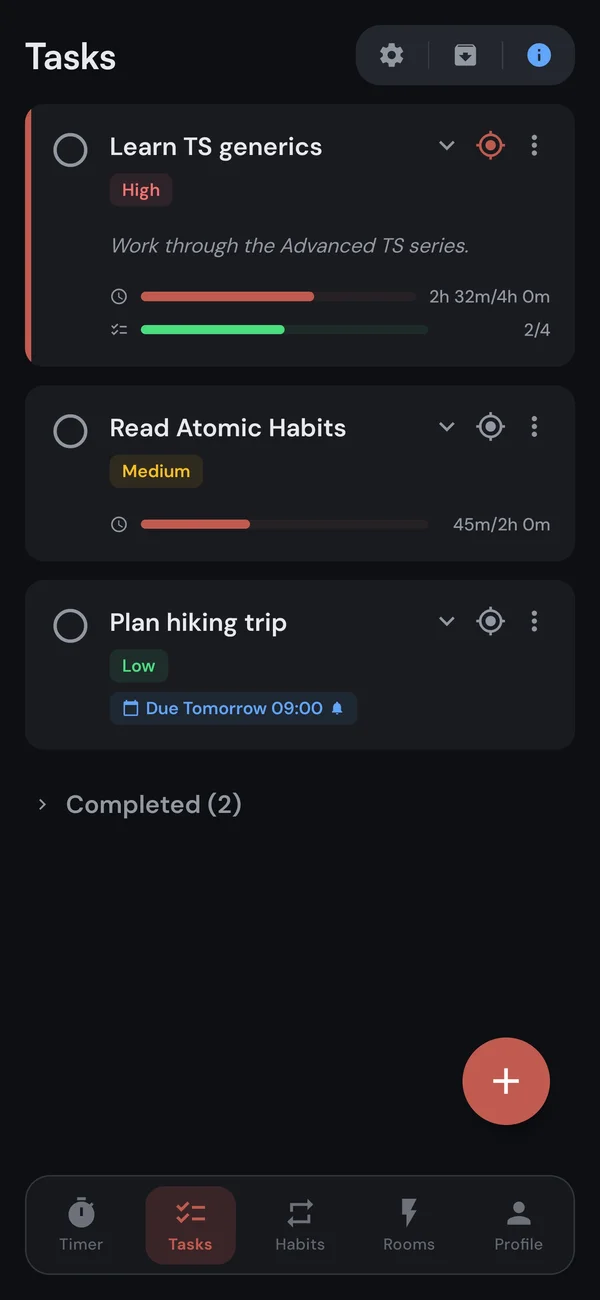
Kaizen ties your to-do list to the timer. Pick the task you are working on, start a session, and the minutes track themselves, so you stop guessing and start seeing.

23 min
lost on average every time you switch between tasks.
Multitasking is mostly task-switching in disguise, and every switch has a tax. Kaizen keeps you on one thing at a time, then shows you the receipts.
Sort it the way you think
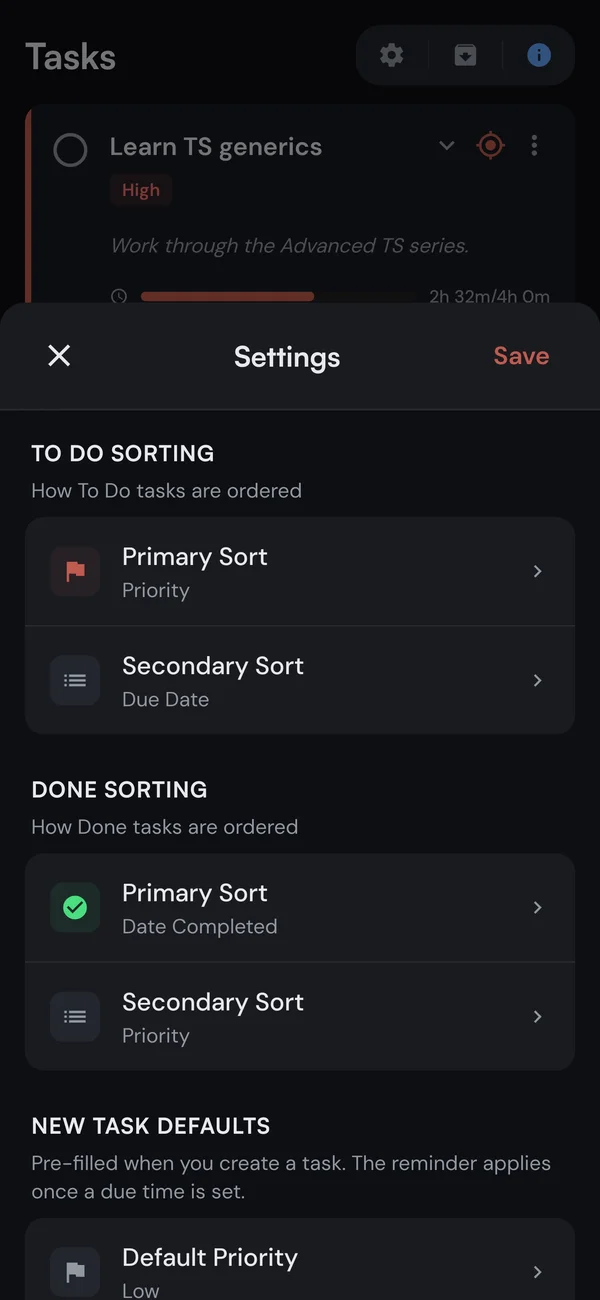
Sort your to-do and done lists with a primary and secondary order, keep the active task expanded while you work, and save the defaults once. The list bends to your workflow, not the other way around.
Reminders
A push before the deadline, exactly when you asked
Give a task a due time and pick a lead time, from at the due time to a week ahead. Reminders are free on every plan and arrive on your phone or tablet.
- 13 lead times5, 10, 15, or 30 minutes, 1 to 12 hours, 1 or 2 days, or a full week before.
- Says how close it isThe push reads Due in 30 minutes, not a vague nudge you have to decode.
- Moves with the due dateReschedule the task and the reminder reschedules itself. Nothing to re-set.
How it works
From to-do to tracked in four taps
1. Create a task
Add a title, a priority, and an estimate if you want one.
2. Tap to focus
Make it your active task. It shows up on the timer screen.
3. Start the timer
Run a session like normal.
4. Time logs itself
Every minute is tracked against that task, automatically.
Capture and review
Add tasks fast, keep a record of everything done
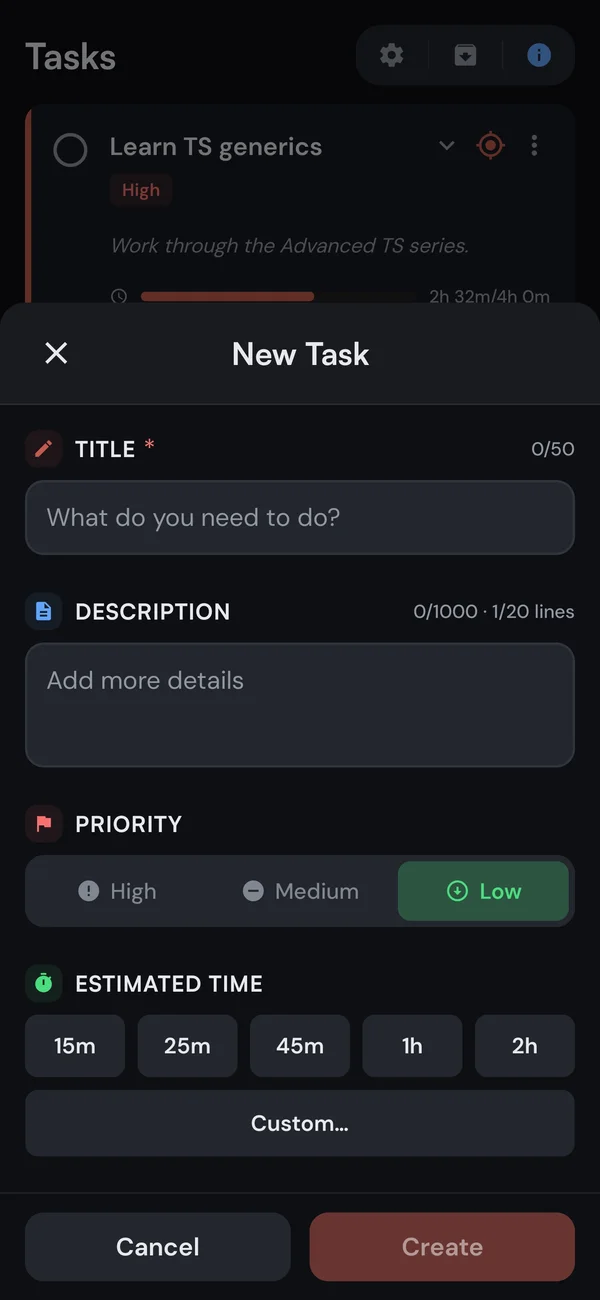
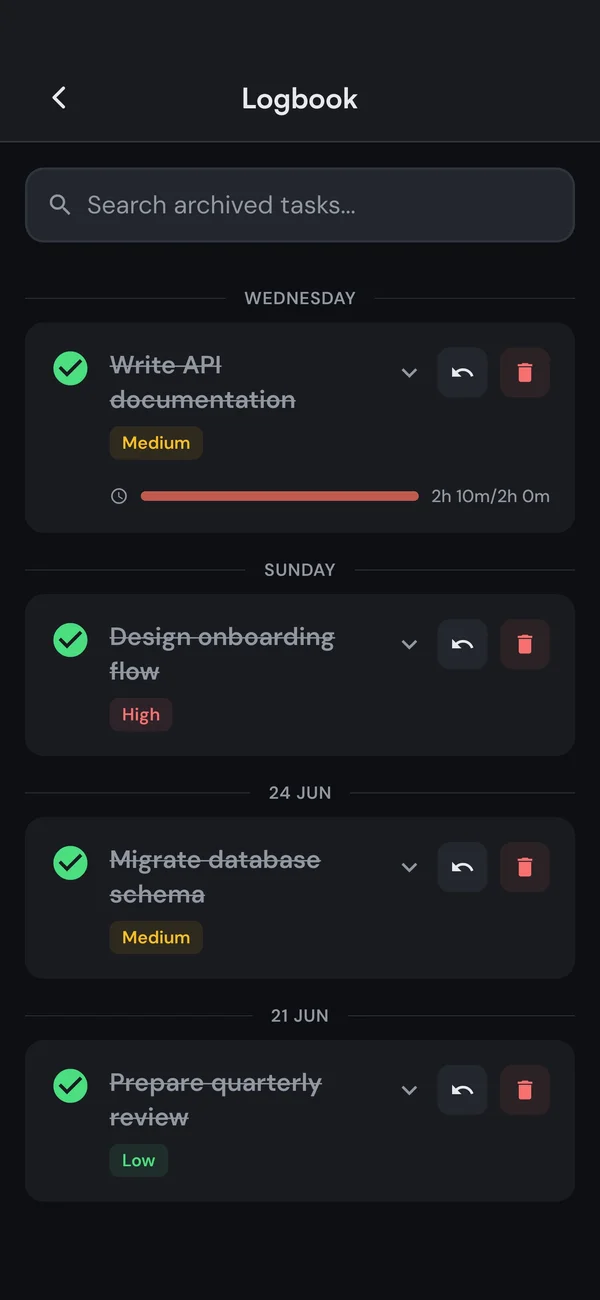
Spin up a task in seconds with a priority and an estimate. Finished tasks tuck into a collapsible Completed section, and archived work lands in your Logbook with the time you spent, so nothing just disappears.
The details
Everything you would expect, nothing you wouldn't
Subtasks
Break big work down and drag to reorder. (Premium)
Priorities
High, medium, low, with colour coding.
Due dates
All-day or a specific time, with an optional reminder.
Time estimates
See a progress percentage as you work. (Premium)
Start with up to 7 tasks, free
Time tracking is included, no subscription needed. Go unlimited with Premium when you outgrow it.